The problem, one set of thresholds across every coin usually breaks
One watchlist mindset quietly forces a mistake. It encourages you to treat the market as if every coin behaves the same, just with a different name.
In reality, a 5% move is not one thing. On a large-cap, it can be meaningful and rare. On a micro-cap, it can be normal noise.
If you use identical triggers, stops, and targets across the whole exchange, you usually end up missing moves because your rules are too strict for some coins, or getting spammed with false positives because your rules are too loose for others.
That is not a strategy problem. It is a context problem.
What market cap groups are (without the jargon)
Market cap is simply a way of describing the approximate size of a coin. A market cap group is a tier you define so you can apply different sensitivity to different kinds of coins.
Large-caps often move more slowly, with fewer extreme wicks. Smaller coins often move faster, with more volatility and more noise. A tiered approach helps you avoid pretending those behaviours are identical.
- Tier or group: a bucket (large-cap, mid-cap, micro-cap, etc.)
- Threshold: the percentage move you require before something triggers
- Multiplier: a scaling factor that increases or decreases a percentage-based rule
How Market Cap Groups work in PriceWatch
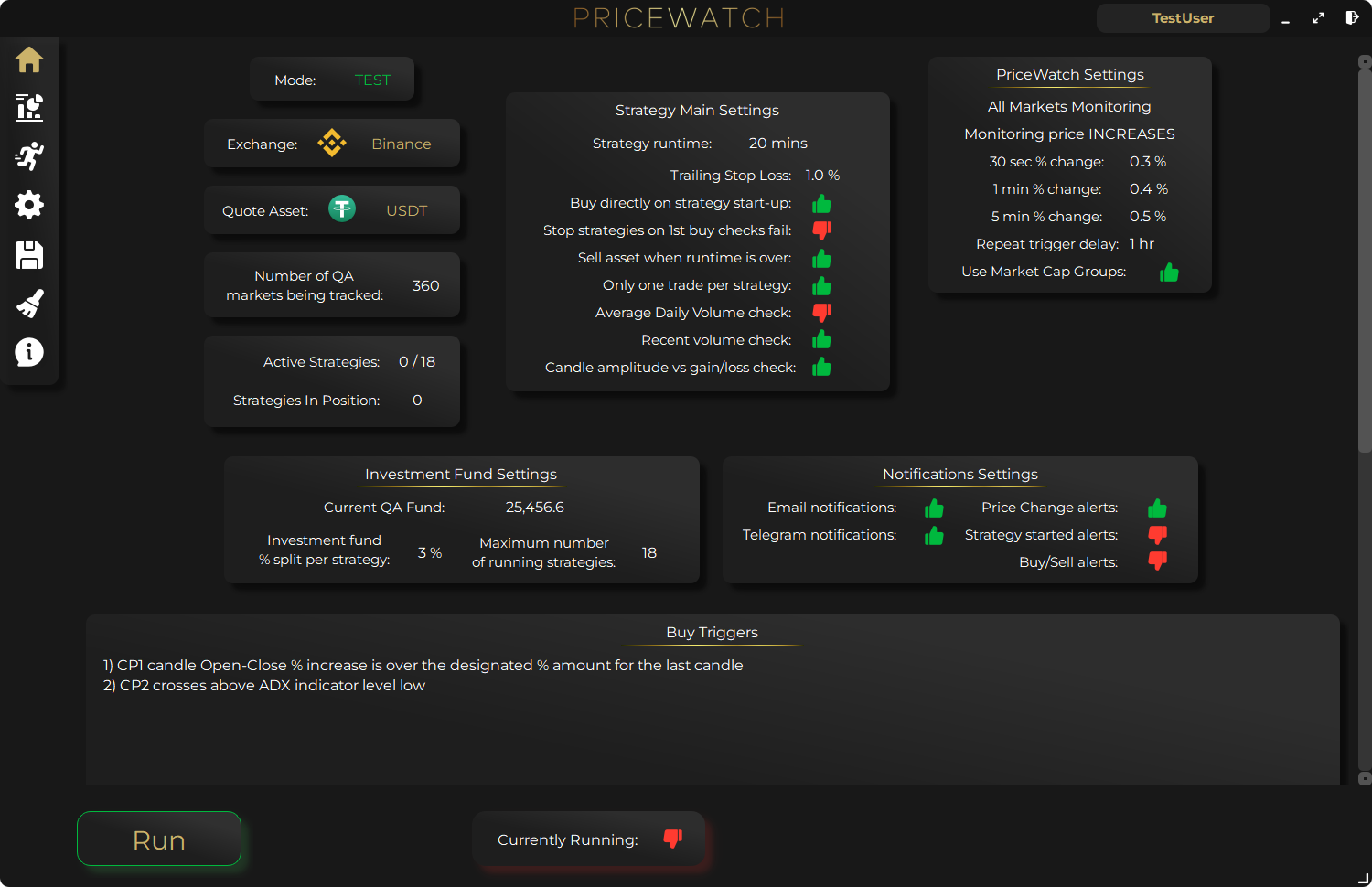
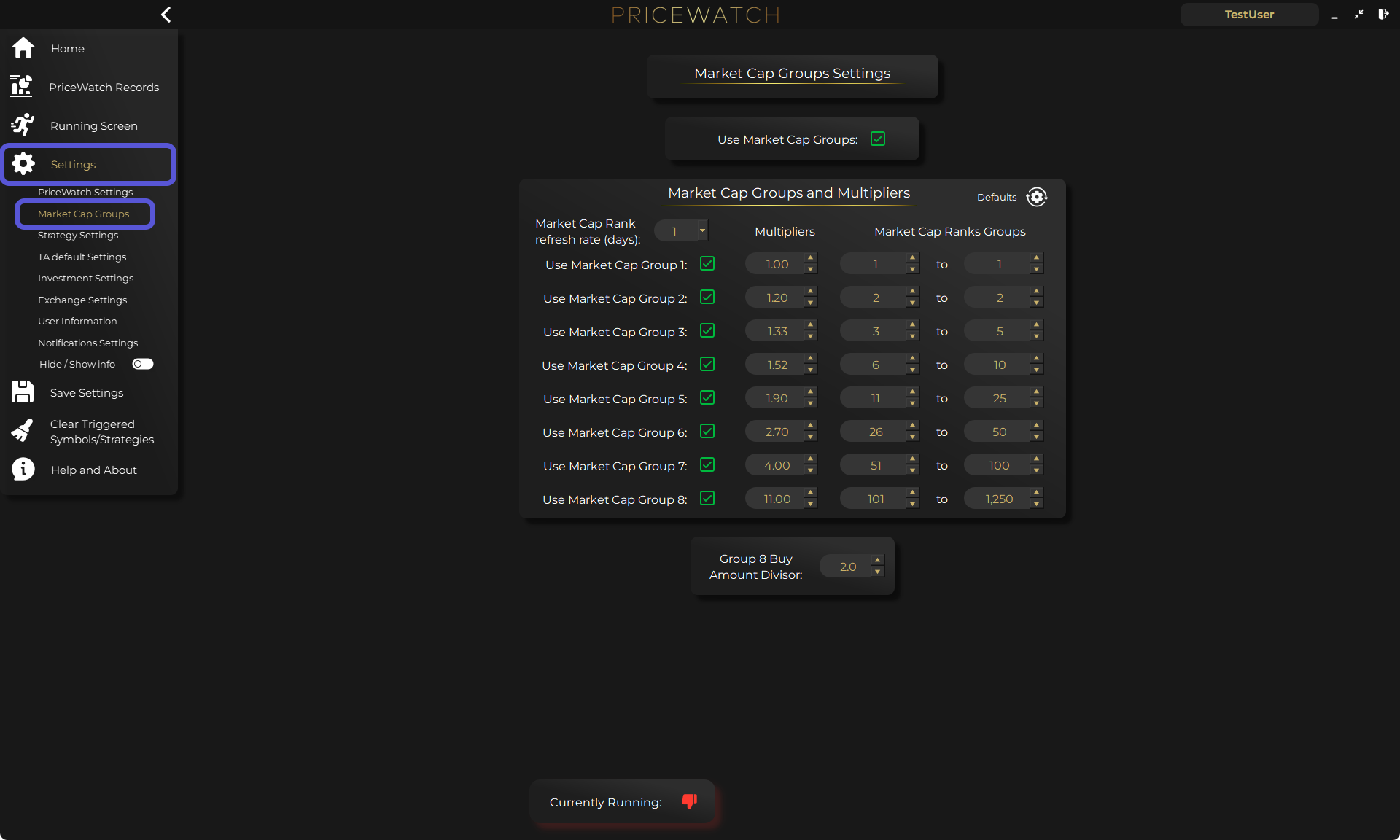
PriceWatch includes Market Cap Groups so you can define up to 8 tiers based on CoinMarketCap rankings, then apply a multiplier per tier that scales percentage-based thresholds like price triggers, stop-losses, and profit targets.
Groups can be enabled or disabled, and the system prevents overlapping rank ranges so a coin only belongs to one tier.
- Up to 8 tiers
- Based on CoinMarketCap ranks
- Multipliers scale percentage-based triggers, targets, and stops
- Enable or disable per tier
- No overlapping rank ranges
The multiplier idea (with real numbers)
In PriceWatch, the core concept is simple. Effective percentage threshold equals your base percentage setting multiplied by the Market Cap Group multiplier.
That lets you keep one baseline rule, then make it tighter or looser per tier.
- Example tiers: Group 1 (CMC rank 1 to 25) multiplier 0.8, Group 2 (26 to 100) multiplier 1.0, Group 3 (101 to 300) multiplier 1.5
- Take profit example: base 0.6%. Group 2: 0.6% × 1.0 = 0.6%. Group 3: 0.6% × 1.5 = 0.9%
- Stop-loss example: base 0.8%. Group 1: 0.8% × 0.8 = 0.64%. Group 3: 0.8% × 1.5 = 1.2%
- Price trigger example: base 1.2%. Group 2: 1.2%. Group 3: 1.2% × 1.5 = 1.8%
A sensible setup workflow (start in TEST mode, then add tiers)
The fastest way to get value from Market Cap Groups is to avoid overcomplicating them on day one. Start with one baseline first, then add tiers once you can see how your rules behave.
- Start in TEST mode so you can learn how your rules behave with real market data
- Choose one exchange and one market focus (for example, one quote asset)
- Build one baseline strategy idea you can explain in plain language
- Run it long enough to see what triggers too often, or not enough
- Define 3 to 5 tiers, then expand up to 8 later if needed
- Add per-tier multipliers to scale the percentage-based parts of your rules
- Watch the Live Feed and logs to see what is firing, and adjust deliberately
What Market Cap Groups do
Market Cap Groups are a tuning tool. They help you apply market cap context so the same baseline idea behaves sensibly across volatility tiers.
- Assign coins to tiers based on rank ranges
- Scale percentage-based thresholds per tier via multipliers
- Reduce the pain of one-size-fits-all sensitivity across very different coins
What Market Cap Groups do not do
They do not remove risk or create edge by themselves. You still need testing and validation.
- Guarantee better results
- Remove trading risk
- Replace testing and iteration
- Turn noise into edge automatically
Who this is for
This feature is most useful when you want consistency without rigidity across a lot of markets.
- You scan many markets and want one baseline rule set that still respects volatility differences
- You care about discovery first, then decision-making
- You want a systematic way to tune thresholds across different coin tiers
FAQ
What is a market cap group in crypto? A market cap group is a tier you define (large-cap vs small-cap, etc.) so you can apply different thresholds and sensitivity to different kinds of coins.
How does PriceWatch assign coins to Market Cap Groups? PriceWatch describes Market Cap Groups as being based on CoinMarketCap rankings, with non-overlapping rank ranges.
How many Market Cap Groups can I set up in PriceWatch? Up to 8 tiers.
Do Market Cap Groups change indicators, or only thresholds? They scale percentage-based thresholds (price triggers, stop-loss, profit targets). They are not described as changing indicator calculations.
Want to see the workflow in practice?
Start by reviewing the workflow in TEST mode
PriceWatch runs locally, helps you monitor broader markets, and gives you a way to review how the workflow behaves before deciding whether moving closer to LIVE use makes sense for you.
Prefer to keep researching first?
Keep learning before you decide
Get practical workflow ideas, product updates, and new articles by email, or keep reading through the blog at your own pace before you take the next step.
Keep the route moving
Best next pages from here
If this article solved only part of the problem, use the closest route below to keep moving through discovery, alerting, trust, and comparison intent without bouncing back to search.
Discovery route
Crypto market scanner
Use the fixed-intent landing page if you want the clearest explanation of scan-first market discovery.
Alerting route
Desktop crypto price tracker
Go here if your main intent is Windows-based monitoring, price alerts, and local desktop workflow.
Trust route
Cloud bot vs local software
Use this when the next question is privacy, key control, and where the workflow actually runs.
Comparison route
PriceWatch vs TradingView
Use the comparison path if you are weighing chart-first analysis against discovery-first monitoring.