Why traders miss so much of the market
Most traders do not struggle because they lack ideas. They struggle because the market moves faster than manual attention can keep up.
By the time a move appears on a watchlist, gets noticed in a tab, or shows up in a delayed routine, the best entry can already be gone. That gap between what is happening and what you are able to monitor is where PriceWatch is designed to help.
What PriceWatch actually does
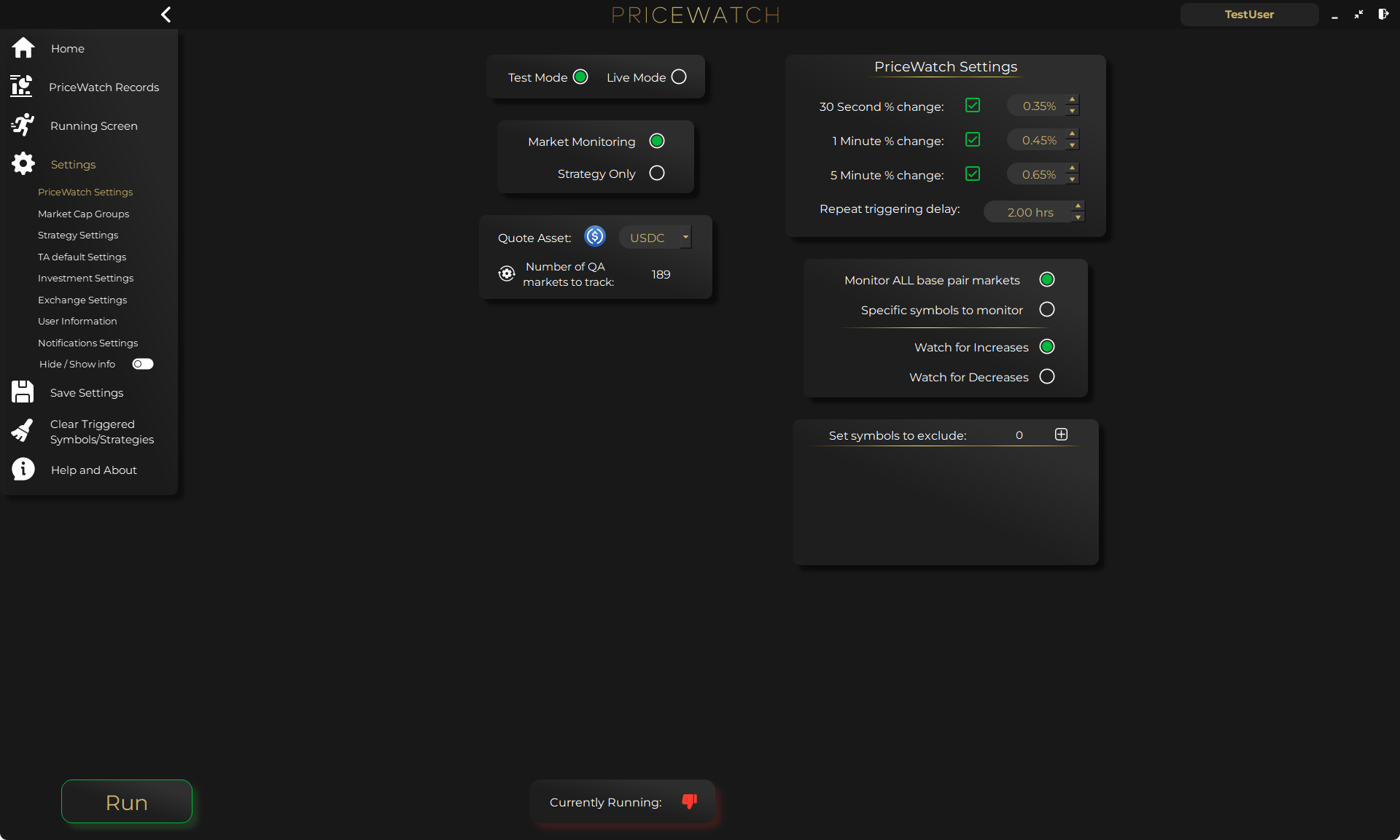
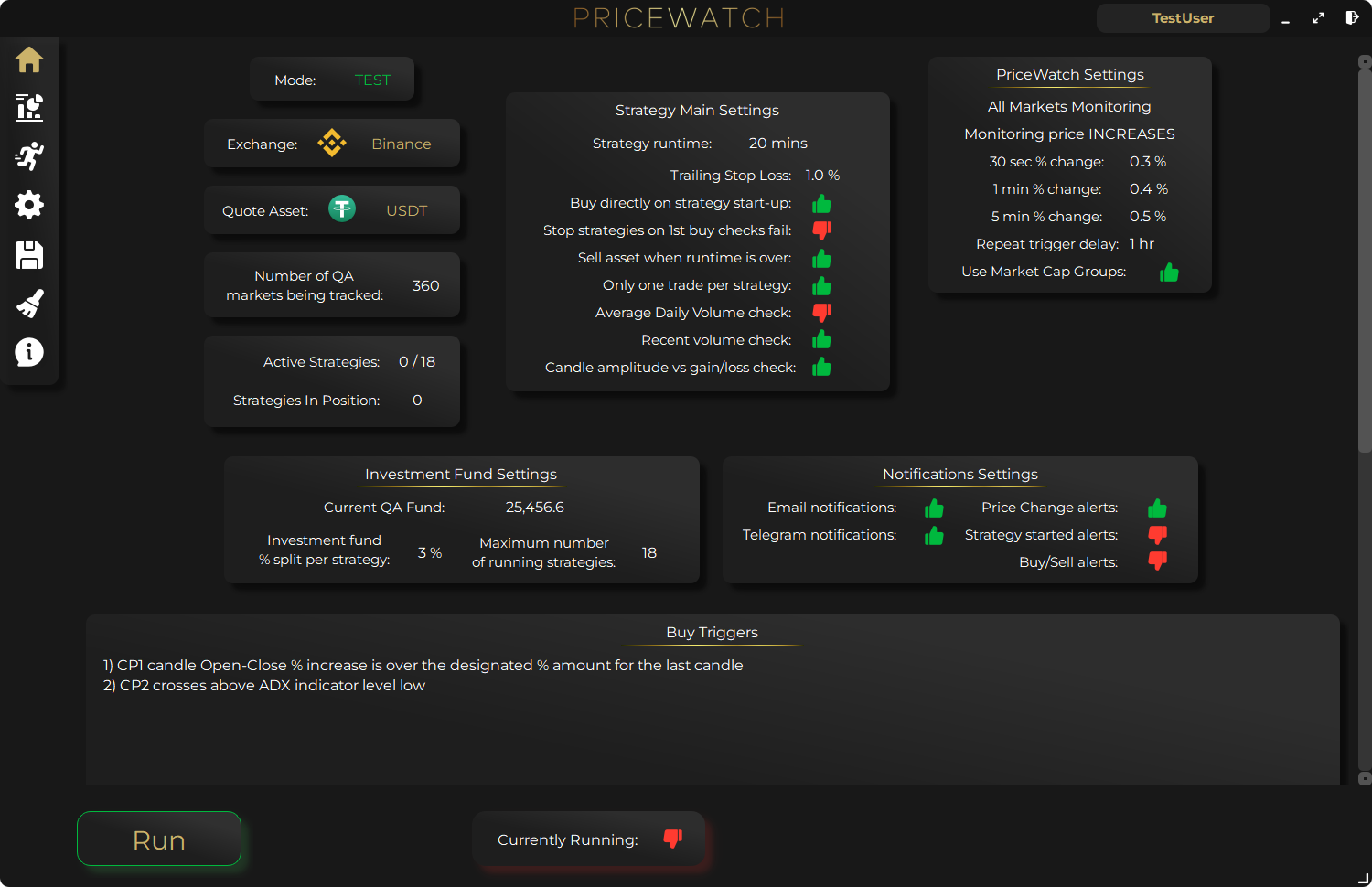
PriceWatch is desktop cryptocurrency trading software that runs on your own machine. It monitors your selected exchange, applies your chosen strategy conditions, and helps you react faster without having to sit in front of charts all day.
It is built for traders who want more market coverage, more consistency, and more control over how opportunities are found.
- Monitor large sets of markets from one selected exchange
- Use technical indicator triggers without writing code
- Work in TEST mode before using LIVE trading
- Keep sensitive trading data on your own computer
Want to see it in action (safely)?
Start with the free trial in TEST mode. It is the fastest way to understand how whole-market monitoring and rule-based triggers fit your workflow, before you ever consider LIVE trading.
What makes it different
PriceWatch is not trying to be another generic dashboard. It is built around whole-market monitoring and structured decision rules.
That means the focus is not just on analysing one coin better. It is on helping you see more of the market and respond with rules you already defined in advance.
- Whole-market monitoring instead of a small manual watchlist
- 7,500+ indicator trigger combinations across multiple periods
- Market Cap Groups to account for how different coins move differently
- A live operational view so you can see what the software is doing
Who it is for
PriceWatch is a strong fit for traders who already know that discipline matters more than constant screen time.
If you want to reduce manual scanning, test structured ideas, and keep execution tied to defined conditions, it gives you a more practical workflow than trying to watch everything yourself.
A sensible way to start
The best way to approach PriceWatch is to start in TEST mode, build one clear strategy, and learn how the system behaves with your exchange and your market focus.
That keeps the learning curve grounded. You are not trying to master everything at once. You are setting up one repeatable process and improving it from there.
Want to see the workflow in practice?
Start by reviewing the workflow in TEST mode
PriceWatch runs locally, helps you monitor broader markets, and gives you a way to review how the workflow behaves before deciding whether moving closer to LIVE use makes sense for you.
Prefer to keep researching first?
Keep learning before you decide
Get practical workflow ideas, product updates, and new articles by email, or keep reading through the blog at your own pace before you take the next step.
Keep the route moving
Best next pages from here
If this article solved only part of the problem, use the closest route below to keep moving through discovery, alerting, trust, and comparison intent without bouncing back to search.
Discovery route
Crypto market scanner
Use the fixed-intent landing page if you want the clearest explanation of scan-first market discovery.
Alerting route
Desktop crypto price tracker
Go here if your main intent is Windows-based monitoring, price alerts, and local desktop workflow.
Trust route
Cloud bot vs local software
Use this when the next question is privacy, key control, and where the workflow actually runs.
Comparison route
PriceWatch vs TradingView
Use the comparison path if you are weighing chart-first analysis against discovery-first monitoring.
Who this is for (and who it is not for)
Good fit if
- You want broader market monitoring than a small manual watchlist.
- You prefer rule-based trading decisions over constant screen time.
- You want to test strategies safely in TEST mode first.
Not a fit if
- You want investment advice or guaranteed profits (no tool can provide that).
- You only want futures/options features (PriceWatch is described as spot-focused).
- You do not want to define clear rules for entries and exits.
FAQ
Does PriceWatch run locally, or in the cloud?
PriceWatch is described as a desktop application that runs locally on your own machine.
Do I need to code to use PriceWatch?
No. PriceWatch is designed to let you build strategy logic using technical indicator triggers without writing code.
Can I try PriceWatch for free?
Yes. The site offers a 7-day free trial (no credit card required), and recommends starting in TEST mode first.
Is PriceWatch a trading bot that trades automatically?
PriceWatch is described as automation software that can monitor markets and run rule-based strategies. A sensible way to start is to learn the workflow in TEST mode before using LIVE trading.