Quick answer
PriceWatch and Cryptohopper are both crypto automation platforms, but they optimise for different workflows.
Cryptohopper is a cloud-based, exchange-API-driven bot platform with a long-running community, template-based strategy building, and a marketplace of trading signals. PriceWatch is a Windows desktop application that runs locally, keeps exchange API keys on your own machine, and focuses on whole-market discovery, pre-strategy validation, and TEST Mode rehearsal before any live trading.
If you want a cloud-based bot platform with marketplace templates and signal subscriptions, Cryptohopper is the established option. If you want to find candidates yourself across the whole market, validate them in TEST, and keep keys and execution on your own hardware, PriceWatch is the closer fit.
This page walks through what each platform is actually good at, where each one tends to fall short, and the questions worth asking before picking one.
What Cryptohopper is built for
Cryptohopper is a cloud-hosted trading platform. You connect your exchange account via API, and the platform runs bots from its servers. It has been around for years, has a large community, and runs a marketplace where traders sell templates and signal subscriptions.
That setup is genuinely useful if:
- You want pre-built strategy templates you can buy, subscribe to, or modify.
- You want to follow external trading signals.
- You want browser-based access from anywhere.
- You want paper trading and a backtesting engine alongside live bots.
- — Cryptohopper is well known for its marketplace, its template-based strategy designer, and its social and copy-trading features.
What PriceWatch is built for
PriceWatch is a Windows desktop application. It runs locally. Exchange API keys stay on your machine in encrypted form and are not sent to PriceWatch servers.
PriceWatch is built around a different workflow:
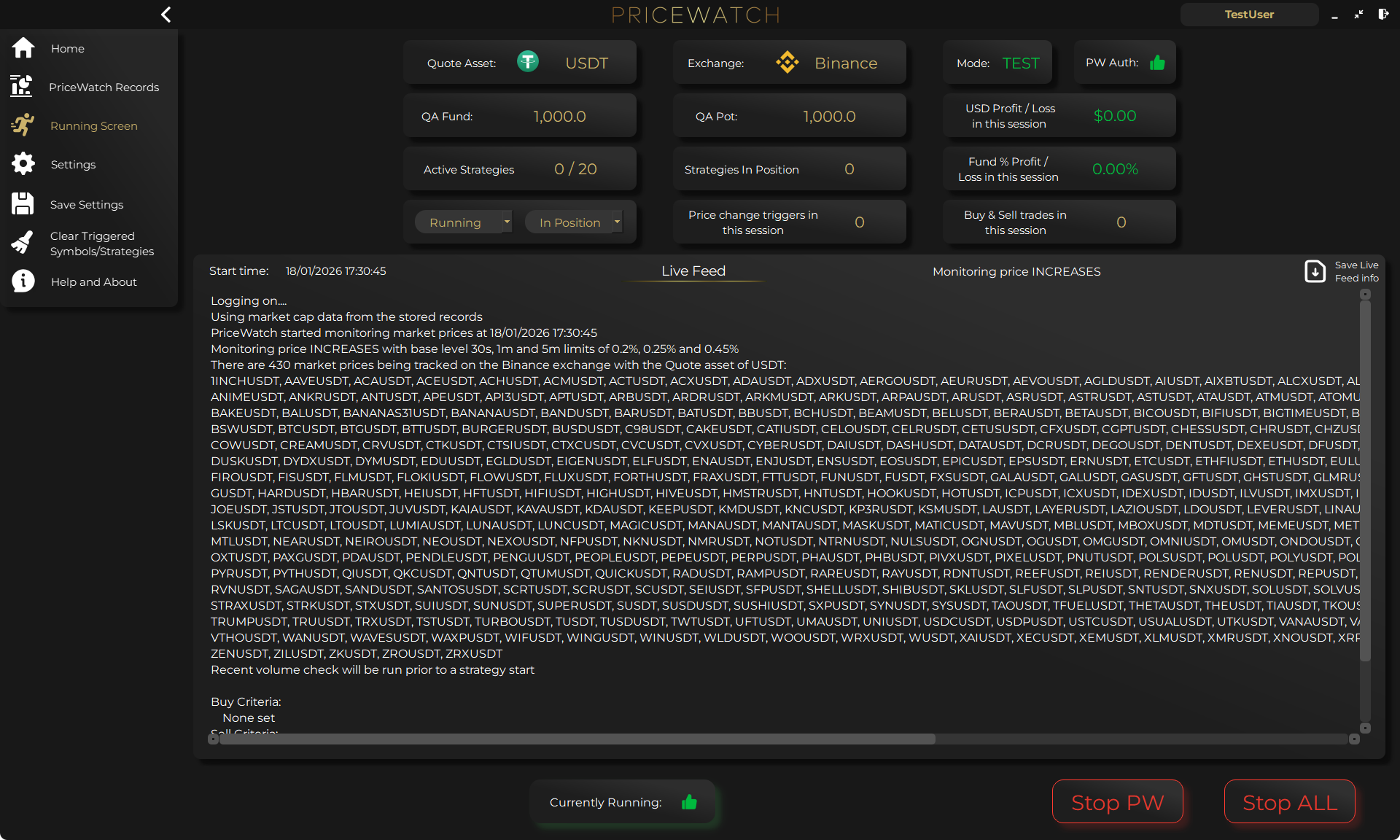
- Whole-market discovery for a chosen quote asset (for example USDT).
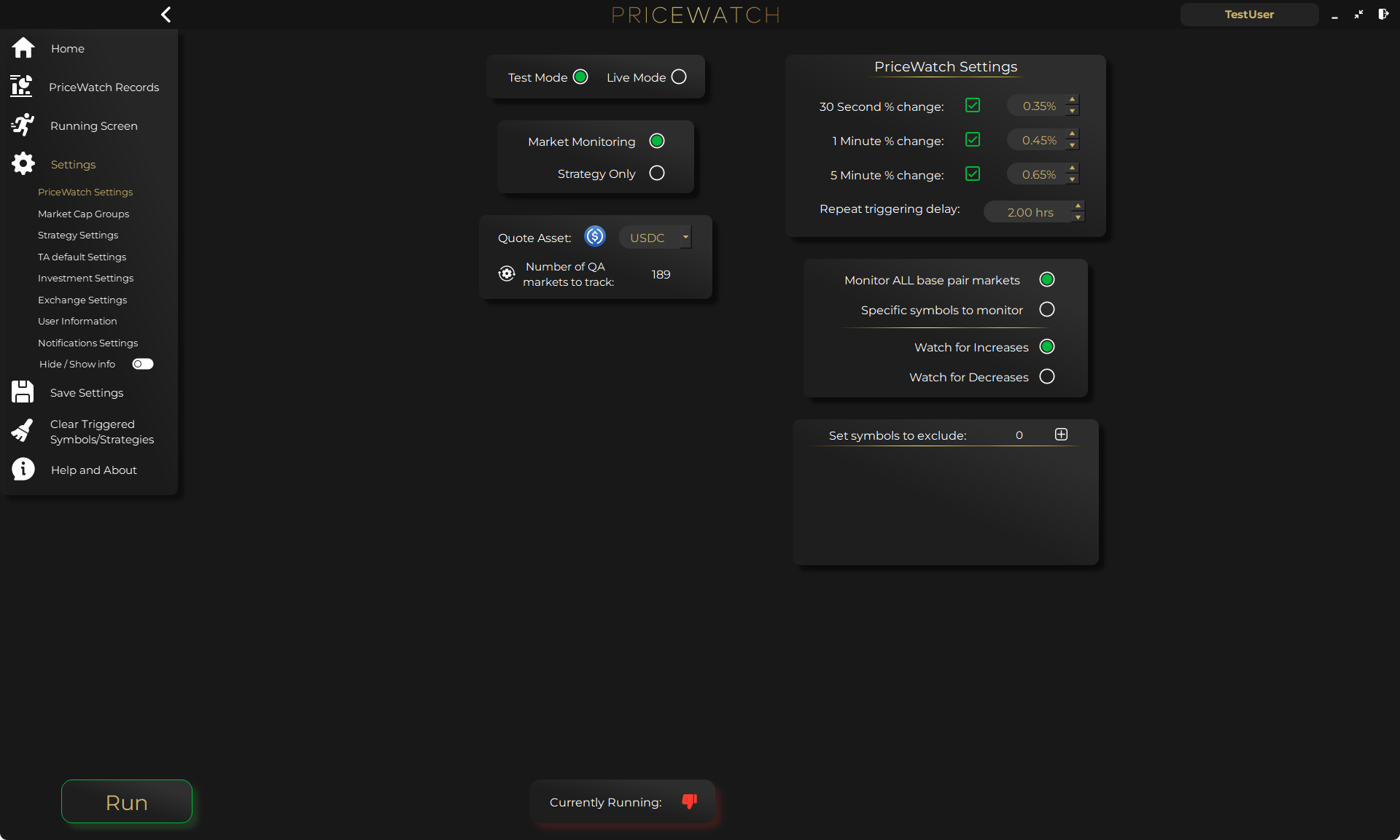
- Market Cap Groups that scale what counts as unusual by coin type.
- A trigger → validation → strategy workflow with pre-strategy checks before anything goes LIVE.
- TEST Mode that rehearses a full strategy against real market data with no live orders.
- A Live Feed and downloadable records so you can audit what actually happened during a run.
- — If you mainly want to find your own candidates, validate them, and run them with keys and execution under your own control, that is the workflow PriceWatch is designed for.
Side-by-side comparison
The structured comparison grid above sets out the differences at a glance. A short summary works just as well:
- PriceWatch runs locally on your own Windows machine. Cryptohopper runs in the cloud and is browser-based.
- PriceWatch keeps exchange API keys encrypted on your workstation. Cryptohopper holds them so it can run bots from its servers.
- PriceWatch discovers across the whole market for one chosen quote asset. Cryptohopper starts from manually selected pairs plus marketplace templates and signals.
- PriceWatch has a TEST Mode that rehearses against real market data. Cryptohopper uses paper trading plus backtesting.
- PriceWatch charges a one-time Full Access fee plus a TEST Mode Only tier. Cryptohopper uses monthly subscription tiers.
- — The table is a starting point, not a verdict. The right choice depends on what you actually want to do day to day.
Where Cryptohopper tends to fit well
Cryptohopper is a mature fit for traders who want:
- Pre-built templates you can buy, subscribe to, or modify.
- To follow external trading signals through the marketplace.
- Browser-based access and a lower up-front cost.
- Paper trading and a backtesting engine alongside live bots.
- — Cryptohopper is mature in those areas. It has real users, a long-running community, and a deep template ecosystem.
If discovery and validation are the missing layers
Start with a 7-day PriceWatch trial in TEST Mode and run a real whole-market scan against your chosen quote asset. It is the fastest way to see whether a discovery-first, validation-first workflow fits you before any live money is committed.
Where PriceWatch tends to fit well
PriceWatch is a closer fit for traders who want:
- Exchange API keys stored locally rather than on a third-party server.
- Whole-market discovery instead of pair-by-pair scanning.
- A workflow that validates a setup in TEST Mode before any live orders.
- A one-time Full Access purchase rather than a monthly subscription.
- Downloadable records so they can audit what a workflow actually did.
- — If those matter to you, PriceWatch is the closer fit.
Questions to ask yourself before picking
A short checklist works better than a feature list.
- Where do I want my API keys to live?
- Do I want to use pre-built templates and signals, or build and validate my own?
- Do I want to rehearse a full strategy in a TEST environment before going live?
- Am I comfortable with monthly subscription pricing, or do I prefer a one-time purchase?
- Do I want to be able to download records of what my workflow did, and review them later?
- — Your answers decide which tool is the right fit. There is no universal winner.
How PriceWatch handles this in practice
For readers leaning toward the local-execution, validation-first workflow, the typical setup looks like this:
- Set up PriceWatch on a Windows machine. Add one or more exchange API keys. Keys stay on your workstation in encrypted form.
- Pick a quote asset (for example USDT) and run a whole-market scan. Apply Market Cap Groups to filter by cap tier.
- When a candidate matches your rules, the workflow moves it through the trigger → validation → strategy flow before it ever places an order.
- Run the strategy in TEST Mode against real market data. Review the Live Feed and the downloadable records.
- When the logic looks sound, move that specific strategy to LIVE Mode. Keys never leave your machine.
- — The point is not “PriceWatch is better.” The point is that if you want a workflow like this, PriceWatch is built for it, and Cryptohopper is built for a different workflow.
Final takeaway
If your priority is a cloud-hosted bot platform with marketplace templates and signal subscriptions, Cryptohopper is the established option.
If your priority is whole-market discovery, TEST-before-LIVE validation, and a local desktop workflow with exchange API keys stored on your own machine, PriceWatch is the closer fit.
Both tools are mature in their own lane. The right answer is the one that matches the workflow you actually want to run.
Want to see the workflow in practice?
Start by reviewing the workflow in TEST mode
PriceWatch runs locally, helps you monitor broader markets, and gives you a way to review how the workflow behaves before deciding whether moving closer to LIVE use makes sense for you.
Prefer to keep researching first?
Keep learning before you decide
Get practical workflow ideas, product updates, and new articles by email, or keep reading through the blog at your own pace before you take the next step.
Keep the route moving
Best next pages from here
If this article solved only part of the problem, use the closest route below to keep moving through discovery, alerting, trust, and comparison intent without bouncing back to search.
Discovery route
Crypto market scanner
Use the fixed-intent landing page if you want the clearest explanation of scan-first market discovery.
Alerting route
Desktop crypto price tracker
Go here if your main intent is Windows-based monitoring, price alerts, and local desktop workflow.
Trust route
Cloud bot vs local software
Use this when the next question is privacy, key control, and where the workflow actually runs.
Comparison route
PriceWatch vs TradingView
Use the comparison path if you are weighing chart-first analysis against discovery-first monitoring.
Who this is for (and who it is not for)
Good fit if
- You want a workflow-fit comparison rather than a generic feature list.
- You are choosing between a cloud bot marketplace and a local desktop discovery workflow.
- You want to understand whether your real problem is template-based bots, signal subscriptions, or discovery plus TEST-before-LIVE validation.
Not a fit if
- You want a one-line “which tool wins” answer without considering workflow.
- You only compare price and ignore execution model and key custody.
- You expect any tool to remove trading risk or guarantee results.
FAQ
Is PriceWatch a Cryptohopper alternative?
Yes, for some crypto workflows. Cryptohopper is strongest for cloud-hosted bots, marketplace templates, and signal subscriptions. PriceWatch is strongest when the real problem is whole-market discovery, TEST-before-LIVE validation, and local-execution control over exchange API keys.
Can I use PriceWatch and Cryptohopper at the same time?
Yes. Some traders run Cryptohopper for marketplace templates or signal subscriptions and PriceWatch for discovery-led, validation-first automation. The two are not mutually exclusive.
Does PriceWatch have a marketplace?
No. PriceWatch does not have a template marketplace or a signal subscription service. If those are the main things you want, Cryptohopper is the closer fit.
Does Cryptohopper have whole-market discovery?
Cryptohopper focuses on pair selection, template-based strategies, and signal subscriptions rather than whole-market scanning. PriceWatch is the closer fit for a discovery-first workflow.
Can I trial PriceWatch before buying?
Yes. PriceWatch offers a 7-day free trial so you can run it against real market data before committing.
Can I trial Cryptohopper before buying?
Yes. Cryptohopper has its own trial options. Check their current pricing page for the latest terms.
Is PriceWatch available on Mac or Linux?
PriceWatch currently runs on Windows. If you need Mac or Linux support, Cryptohopper is the natural fit because it runs in a browser.
I currently subscribe to Cryptohopper marketplace signals. Does PriceWatch import those?
No. PriceWatch does not import marketplace signals. If you want to keep following a particular signal provider, stay on Cryptohopper. PriceWatch is for traders who want to build and validate their own rules.
Ready to see whether PriceWatch fits your workflow?
Start the 7-day free trial and run a real whole-market scan against your chosen quote asset before committing. See https://pricewatch.eu.com/pricing/ for the current plan details.