This is not a “which tool is better?” page. It is a workflow-fit page.
The wrong way to compare TradingView and PriceWatch is to assume they are both trying to solve the same problem. They are not.
If your edge starts with better chart reading, TradingView will usually look stronger. If your edge starts with finding more opportunities across the crypto market, then validating a repeatable workflow before risking money, PriceWatch becomes more relevant.
That distinction matters because many traders do not actually have a feature problem. They have a workflow problem. They are trying to figure out whether they need deeper charting and alerts, or broader crypto market discovery plus a more deliberate TEST-before-LIVE process.
Where TradingView is strong
TradingView is widely used because it is excellent at visual charting and discretionary workflow support.
From TradingView’s own product and help pages, the platform offers charting across many asset classes, hundreds of built-in indicators and strategies, a large community library of public indicators, alerts on price, technical conditions, drawings, and watchlists, paper trading simulation directly on charts, webhook notifications, and real-money trading from Supercharts through connected brokers and crypto exchanges.
That makes TradingView especially strong for traders who want to work visually from charts, build routines around alerts, compare symbols and layouts, combine charting with discretionary judgment, and test ideas in a simulated environment before using real money.
Where PriceWatch is commercially stronger
PriceWatch is stronger in a different and, for many crypto traders, more commercially valuable part of the workflow.
Based on current PriceWatch documentation and website copy, PriceWatch is a desktop crypto market monitoring and automated trading application that runs locally on the user’s own Windows machine.
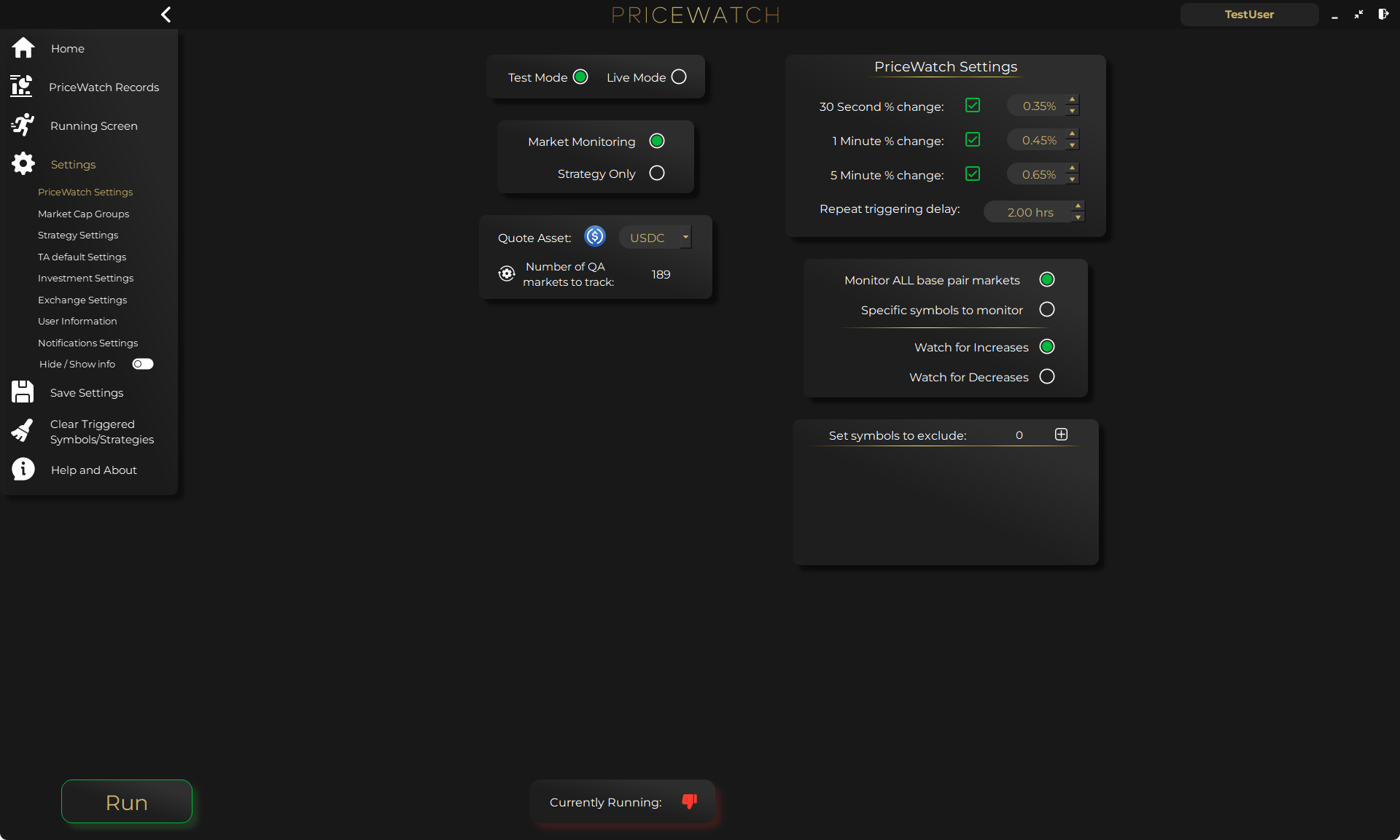
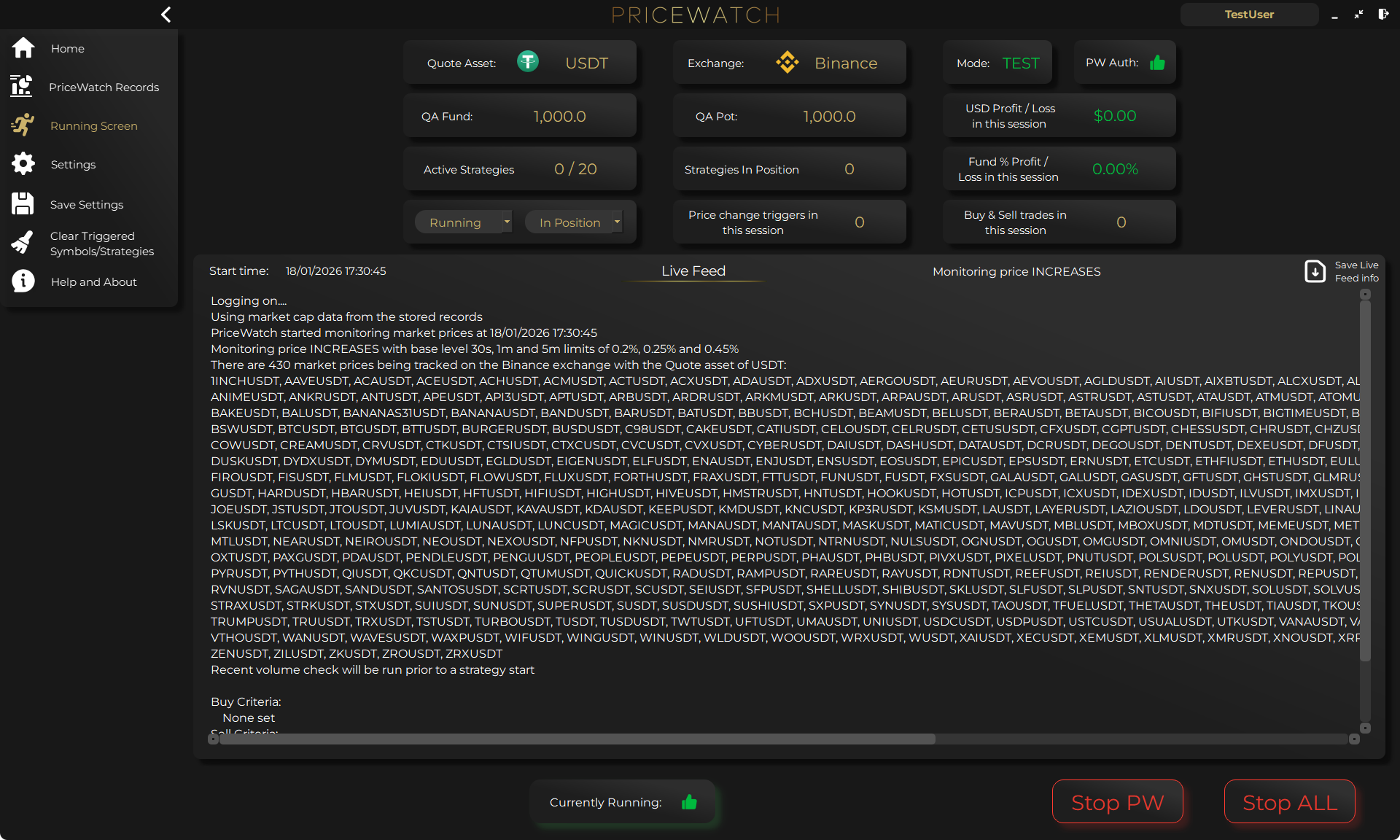
The current product materials also describe support for 15 exchanges, monitoring across 25,000+ trading pairs, 7,500+ indicator trigger combinations, a TEST mode for validating workflows before LIVE use, a LIVE mode path for real-money trading workflow after validation, a privacy model where trading strategies, API keys, balances, and transaction history are not collected by the company, Market Cap Groups that scale thresholds across up to 8 tiers, and Live Feed visibility with downloadable logs.
Those details make PriceWatch a stronger fit when the workflow starts with questions like: How do I discover more markets without watching charts all day? How do I surface candidates with rules instead of manually searching? How do I move from idea to TEST to LIVE with less friction? How do I keep more of the critical trading workflow on my own machine? How do I avoid building a crypto workflow that still depends on endless manual chart babysitting?
When TradingView is enough on its own
TradingView is extremely capable, and for many traders it is enough on its own. If you already know which markets you care about, want strong charting, alerts, layouts, and broker-connected chart trading, it can cover the core job well.
That is why this page should not be read as a hostile competitor page. TradingView remains a strong fit when the bottleneck is analysis, alerting, and visual review on markets you already track.
The question only changes when your charts are fine but your discovery workflow is too narrow. That is the point where the search for a crypto market scanner, a broader monitoring workflow, or a TradingView alternative for discovery starts to make sense.
When broader crypto market discovery matters more than chart-first workflow
PriceWatch is positioned differently. Its product materials describe a monitoring workflow that can scan all available markets for a chosen quote asset on a selected exchange, rather than depending on a small manual coin list first.
That makes PriceWatch more naturally aligned with a discovery-first and workflow-first approach: monitor broadly, surface candidates that match your conditions, validate them with rules, test in TEST Mode first, and move to LIVE Mode only after the workflow proves itself.
A charting platform helps you analyze what is already on your screen. A discovery-oriented workflow helps you surface what deserves to be on your screen in the first place. If you need the category explanation behind that distinction, start with the scanner definition page before coming back to the comparison.
If broader discovery is the missing layer
Start with the scanner path if your real problem is finding more markets worth reviewing. Then validate the workflow in TEST Mode before deciding whether LIVE use is justified.
Alerts vs broader monitoring
TradingView’s alerts are a real strength, but alerts are not the same thing as a full workflow-validation system.
According to TradingView’s help and pricing pages, the platform supports price alerts, technical alerts on indicators, strategies, and drawings, watchlist alerts, and app, desktop, email, and webhook notifications.
A chart-and-alert setup can help you react quickly. A broader monitoring workflow can help you find what deserves reaction in the first place. That is the same decision described in the whole-market monitoring explainer: do you mainly need better reactions, or better candidate discovery?
That is one of the clearest differences here: TradingView helps traders act on what they are already watching. PriceWatch is designed to help traders discover what they should be watching next, validate the workflow in TEST Mode, and then move that workflow into LIVE trading.
What changes when you move from alerts to TEST-before-LIVE validation
Both platforms support a safer way to learn before going fully live, but the workflow emphasis is different.
TradingView’s official help describes Paper Trading as a risk-free simulator with no real money involved, available through its chart-based trading panel. TradingView also supports real-money trading through connected brokers and exchanges, but its testing story is still centered on chart-based simulation and broker-connected execution rather than a dedicated crypto automation workflow.
PriceWatch’s current materials describe TEST Mode as a way to validate automation ideas with real market data before moving to LIVE Mode for real-money trading. In operational terms, that means you can monitor one chosen quote asset on one exchange at a time, gather prices every 5 seconds, run live trigger checks every 15 seconds, and let pre-strategy validation checks decide whether the surfaced candidate is still valid before execution logic runs.
That shift matters because the workflow becomes more reviewable. You are not only waiting for a notification. You are reviewing how discovery, validation, TEST Mode, logs, and later LIVE Mode fit together as one process.
Privacy, control, and architecture
TradingView is a cloud platform. That is part of its convenience. Alerts run on its servers, work across devices, and integrate with chart-based workflows in the web, desktop, and mobile apps.
PriceWatch is positioned around a different trust model. Its current materials describe a local desktop architecture where the software runs on the user’s own Windows machine, and where trading strategies, exchange API keys, balances, and transaction history are not collected by the company.
That is not just a privacy talking point. It is also a control talking point. PriceWatch can make a cleaner promise around where the workflow lives, how much stays local, and how much operational visibility the user keeps. If that trust angle is the real decision point for you, the local-control setup comparison goes deeper on that architecture question.
If you also need the chart-first versus discovery-first decision, the PriceWatch vs TradingView comparison page is the best adjacent read after this architecture pass.
That does not make PriceWatch risk-free. It does make the privacy and control story easier to explain and easier to review.
Major selling point differences where PriceWatch stands out
PriceWatch has several differentiators that are worth stating more directly.
- Whole-market crypto discovery instead of relying on a manually curated watchlist first
- TEST-to-LIVE workflow progression for real-money trading
- No-code automation workflow without external webhook-heavy setup
- Local-first privacy and control
- Market Cap Groups for scaling thresholds across up to 8 tiers
- Live Feed and logs for trust through transparency
Can traders use TradingView and PriceWatch together?
Yes. This is often the most realistic answer.
TradingView can handle charting, visual review, and manual analysis. PriceWatch can handle broader discovery, structured monitoring, TEST-before-LIVE validation, and execution-oriented workflow support.
If you are still narrowing the problem, the best next support pages are the scanner definition page for category fit, the whole-market monitoring explainer for discovery breadth, and the local-software comparison for privacy and control.
Final takeaway
If you mainly want better charts, better visual analysis, stronger alert workflows, and broker-connected chart trading, TradingView is often the better fit.
If you mainly want broader crypto discovery, rule-based monitoring, TEST-to-LIVE workflow, differentiated crypto-specific features, and a more local-first trust model, PriceWatch is often the better fit.
Put more bluntly: choose TradingView if your bottleneck is analysis. Choose PriceWatch if your bottleneck is discovery plus repeatable execution workflow.
Want to see the workflow in practice?
Start by reviewing the workflow in TEST mode
PriceWatch runs locally, helps you monitor broader markets, and gives you a way to review how the workflow behaves before deciding whether moving closer to LIVE use makes sense for you.
Prefer to keep researching first?
Keep learning before you decide
Get practical workflow ideas, product updates, and new articles by email, or keep reading through the blog at your own pace before you take the next step.
Keep the route moving
Best next pages from here
If this article solved only part of the problem, use the closest route below to keep moving through discovery, alerting, trust, and comparison intent without bouncing back to search.
Discovery route
Crypto market scanner
Use the fixed-intent landing page if you want the clearest explanation of scan-first market discovery.
Alerting route
Desktop crypto price tracker
Go here if your main intent is Windows-based monitoring, price alerts, and local desktop workflow.
Trust route
Cloud bot vs local software
Use this when the next question is privacy, key control, and where the workflow actually runs.
Comparison route
PriceWatch vs TradingView
Use the comparison path if you are weighing chart-first analysis against discovery-first monitoring.
Who this is for (and who it is not for)
Good fit if
- You are choosing between a chart-first workflow and a discovery-first workflow.
- You want to understand whether your bottleneck is chart analysis or broader crypto market discovery.
- You care about workflow fit, privacy model, and how a tool moves from signal to review to TEST to LIVE.
Not a fit if
- You want a one-line “best platform” answer with no nuance.
- You are only comparing price and ignoring workflow differences.
- You expect any tool to remove trading risk or guarantee results.
FAQ
Is PriceWatch a TradingView alternative?
Yes, for some crypto workflows, but not as a one-for-one charting replacement. TradingView is strongest for charting, alerts, and broker-connected chart trading. PriceWatch is strongest when the job is broader crypto discovery, workflow validation in TEST Mode, and local-control execution support.
When is TradingView enough on its own?
TradingView is usually enough when your workflow already starts with a manageable set of markets and your bottleneck is chart reading, layouts, discretionary analysis, and alerts on instruments you already track.
When does broader market discovery matter more than a chart-first workflow?
It matters more when the real problem is discovery coverage. If you keep missing candidates because you only review a small list of familiar charts, a broader monitoring workflow can become more important than deeper chart tooling.
What changes when you move from alerts to TEST-before-LIVE workflow validation?
The workflow stops at notification less often and becomes more reviewable. PriceWatch is designed around surfacing candidates, running validation checks, reviewing the results in Live Feed and logs, and only moving from TEST Mode to LIVE Mode once the process has earned that step.
Can traders use TradingView and PriceWatch together?
Yes. Many traders could reasonably use TradingView for charting and manual analysis, while using PriceWatch for broader discovery, rule-based monitoring, and execution-oriented workflow support.