
Quick answer
If you are looking for no-code crypto trading software, do not begin with “Which one is best?” Start with safer questions instead. Can you understand what it is doing, test it without risking money straight away, review what happened, and live with the trust model?
A lot of beginners get pulled toward convenience first. That is understandable. It is also usually the wrong order. A better path is to use software that helps you discover what deserves attention, validate the workflow safely, and only move closer to LIVE use when the process actually makes sense.
What people usually mean by no-code crypto trading software
When people search for no-code crypto trading software, they are usually talking about one of four things: a scanner that watches markets and surfaces candidates, a rule builder that lets them define conditions without programming, an automation workflow that can act on those conditions, or a simpler interface that is easier to test than building scripts from scratch.
Those ideas overlap, but they are not the same. Some products are really charting tools with alerts. Some are bot platforms. Some are closer to scanners and monitoring systems. That is why “no-code” is not much of a buying standard on its own.
The checklist that matters most
If you are comparing no-code crypto trading software, the practical checklist is simple. Look for the pieces that keep you in control and make the workflow easier to inspect.
- A safe testing path before any LIVE step.
- Rules that are clear enough to explain in plain language.
- Discovery support, not just execution after you already know where to look.
- Visible reviewability: logs, history, and output you can inspect.
- Obvious risk controls and a trust model you understand.
What beginners often get wrong
A flashy dashboard can make a weak workflow look stronger than it is. What matters is whether the software helps you build a repeatable process.
The classic mistake is going LIVE too early. Someone gets excited by automation, connects keys, and starts using real money before they really understand the workflow. That is not a no-code problem. It is a process problem.
Another common mistake is confusing convenience with safety. Something can be easy to activate and still be a bad fit. The better question is not how quickly you can start, it is how safely you can learn.
A calmer first step
If you are comparing tools, start with one simple workflow in TEST mode first. It is a better filter than trying to judge every feature at once.
When a scanner is enough, and when you need automation
Sometimes you do not need a full automation stack yet. You just need better discovery. Many traders do not have an execution problem first, they have a discovery problem.
A smarter path is often to use a scanner to widen discovery, validate candidates with charts or review steps, test the workflow safely, and add more automation only when the process is clear. That sequence is usually calmer, cheaper, and far more educational.
How to evaluate a tool without coding experience
If you are not technical, keep the first evaluation simple. Start with one workflow. Pick one question such as whether you can monitor more of the market than you can manually, define one understandable set of conditions, and review what the software surfaced to decide whether it was useful.
Stay in TEST first. If the first simple workflow is not clear, adding more conditions will not save it. Complexity only becomes useful once the basic process already makes sense.
Where PriceWatch fits
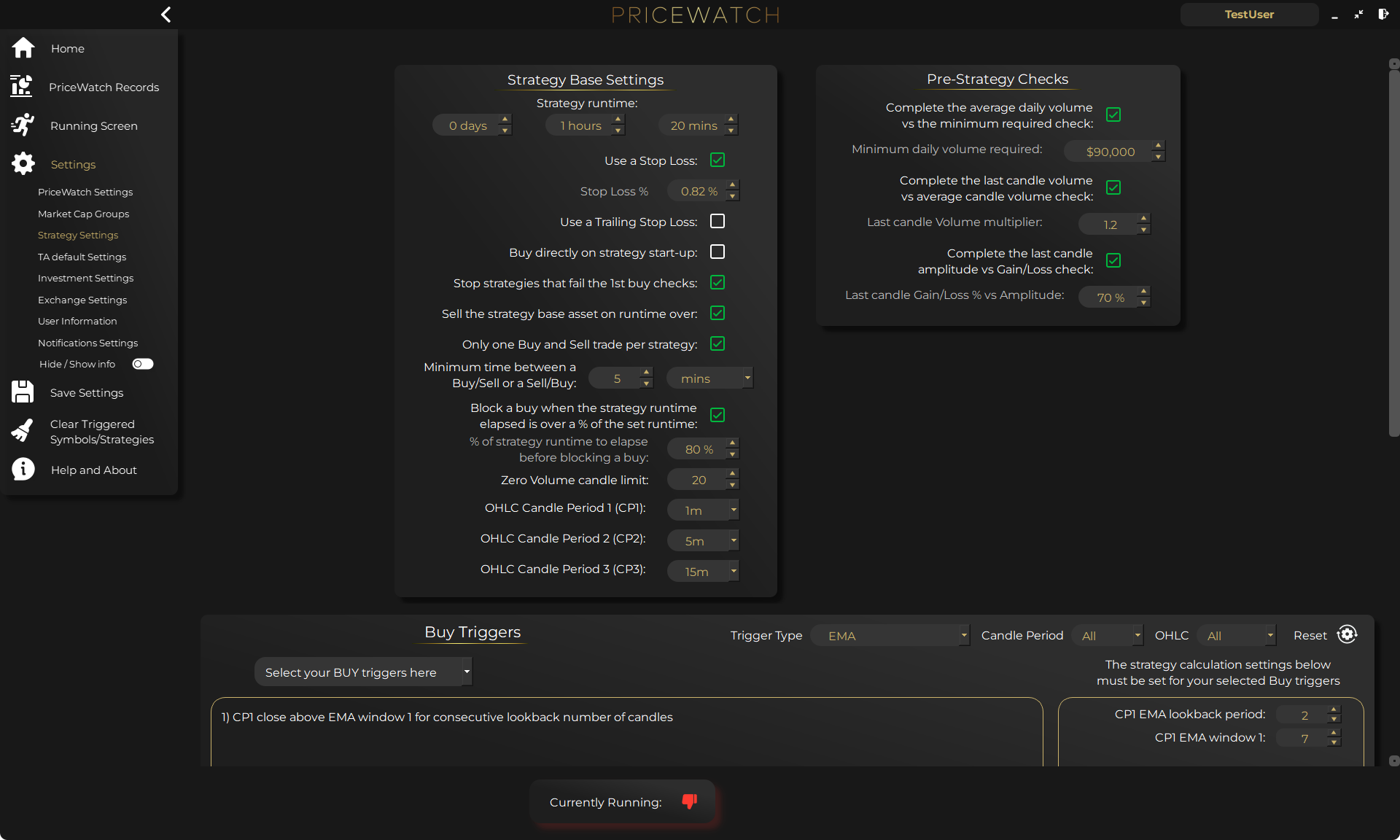
PriceWatch fits best for traders who want broader market discovery, rule-based monitoring, and a TEST-first workflow without having to build everything from code.
Based on the current product materials, PriceWatch is a desktop cryptocurrency market monitoring and automated trading application that runs locally on the user’s Windows machine. The current product documentation also describes support for 15 exchanges, coverage across 25,000+ trading pairs, 7,500+ indicator trigger combinations across three candlestick timeframe periods, market data gathered every 5 seconds and live price triggers checked every 15 seconds, TEST Mode for validating workflows before moving to LIVE use, and Live Feed visibility with downloadable logs.
That combination matters because it supports a workflow that is genuinely useful for non-coders: monitor broadly, surface candidates through conditions, review what happened, validate in TEST Mode, and move closer to LIVE only when the workflow is understood.
Start with a simple checklist
If you are choosing no-code crypto trading software in 2026, keep the final checklist short: can I test before going LIVE, can I understand the rules, can I review what happened, does it help with discovery rather than only execution, and am I comfortable with the trust model?
If the answer is weak on any of those, keep looking. If the answer is strong, you are probably asking the right questions. The safer first step is to understand the workflow before adding complexity.
Want to see the workflow in practice?
Start by reviewing the workflow in TEST mode
PriceWatch runs locally, helps you monitor broader markets, and gives you a way to review how the workflow behaves before deciding whether moving closer to LIVE use makes sense for you.
Prefer to keep researching first?
Keep learning before you decide
Get practical workflow ideas, product updates, and new articles by email, or keep reading through the blog at your own pace before you take the next step.
Keep the route moving
Best next pages from here
If this article solved only part of the problem, use the closest route below to keep moving through discovery, alerting, trust, and comparison intent without bouncing back to search.
Discovery route
Crypto market scanner
Use the fixed-intent landing page if you want the clearest explanation of scan-first market discovery.
Alerting route
Desktop crypto price tracker
Go here if your main intent is Windows-based monitoring, price alerts, and local desktop workflow.
Trust route
Cloud bot vs local software
Use this when the next question is privacy, key control, and where the workflow actually runs.
Comparison route
PriceWatch vs TradingView
Use the comparison path if you are weighing chart-first analysis against discovery-first monitoring.
Who this is for (and who it is not for)
Good fit if
- You want more market coverage without coding first.
- You care about safer evaluation before LIVE use.
- You want a workflow you can understand, review, and tighten over time.
Not a fit if
- You want instant buy-now signals with no review step.
- You do not want to test anything before acting.
- You want convenience without thinking about trust, control, or process quality.
FAQ
Is no-code crypto trading software beginner-friendly?
It can be, but only if it gives you a safe way to learn. Beginner-friendly should mean understandable controls, reviewable outputs, and a clear TEST-first path, not just a slick interface.
Is no-code the same as a trading bot?
Not always. Some no-code products are scanners, some are alerting tools, and some include automation. The important question is what job the software is actually doing in your workflow.
Can I test without risking money?
You should try to. A safer evaluation path is one of the best filters when choosing software. TEST-style workflows are usually much more useful than learning live.
What should I check before connecting exchange keys?
Check where keys are stored, how much control you keep, whether the workflow is local or cloud-based, and whether you understand exactly what the software will do once connected.