A trading idea is only useful if you can test the rules
You can describe a setup clearly and still struggle to turn it into a strategy. Which candle period should it use? What exactly counts as rising volume? Does the exit mean either condition can trigger it, or must both be true? Those details decide what the software actually does.
PriceWatch 2.0 adds an AI Assistant to help with that translation. Describe your idea in plain English, inspect the proposed rules, and decide whether to use them. You can also switch on an AI Trade Gate for a second opinion on buys that pass your own criteria.
What matters here is what happens after the AI answers. The Assistant works with PriceWatch criteria, candle-period settings and records. You can follow an idea from its original description to the rules you selected, then examine AI verdicts and trade outcomes.
Describe a strategy, then inspect what the AI understood
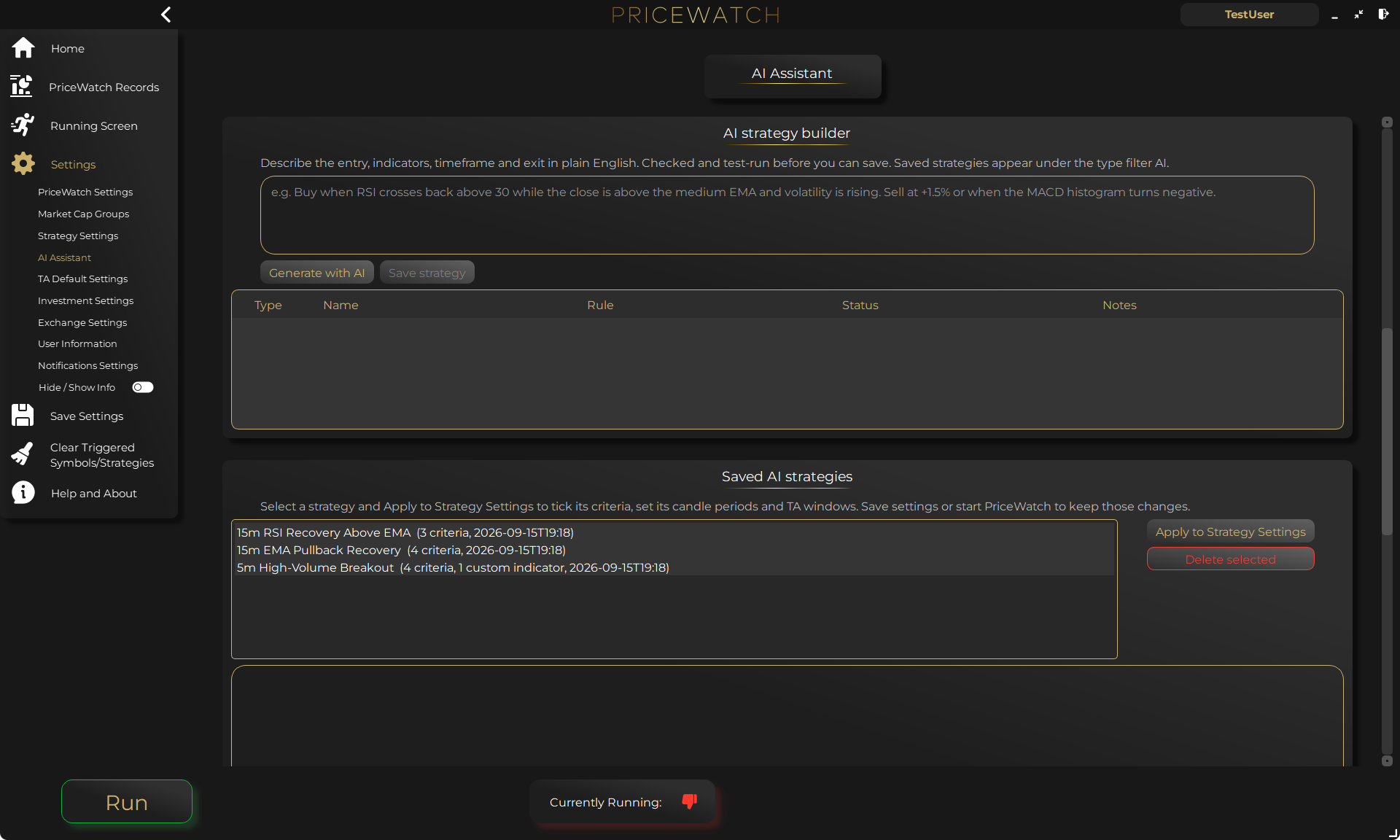
The AI Strategy Builder receives your description alongside PriceWatch's indicator catalogue and current indicator-window settings. It proposes Buy and Sell criteria and, where supported, derived indicators calculated from candle data. The result includes readable rules, rationales and notes about the settings it was designed to use.
For example, you might ask for a setup using a 15-minute candle period, a specified RSI level, rising quote-asset volume and an explicit exit condition. That is an illustrative request, not a recommended trading strategy. A precise prompt gives you something concrete to check against the returned rules.
Hover over a rule to see its exact executable expression. If you asked for either of two exit conditions, check that the result uses OR. Separately selected criteria use AND logic, so ticking two independent exit rules is not the same thing.
PriceWatch checks generated expressions before they can be saved. It allows only permitted operations and data columns, then tests that rules return the right kind of result. Rejected rows are not saved. Some calculations cannot be represented exactly; they must be labelled as approximations or reported as unsupported. These checks catch technical problems. They do not prove the AI understood your intent, or that the strategy will make money.
How to use an AI-built strategy inside PriceWatch
Generating a strategy does not activate it. Saving its definition does not start trading either. PriceWatch keeps those actions separate so you can review the result before putting it to work.
- Open Settings → AI Assistant. Choose your provider and model, run Test connection, then use Save settings before generating a strategy.
- Describe the entry and exit conditions, including candle periods, indicator lengths, thresholds and units. Select Generate with AI.
- Read every proposed rule, its status, notes and Designed for settings. Use Save strategy only after reviewing the valid results.
- Select the saved strategy and choose Apply to Strategy Settings. This ticks its Buy and Sell criteria in the correct lists, populates the referenced candle-period and technical-analysis settings, and raises a too-short runtime where required.
- Open Settings → Strategy Settings, review every applied value and use the normal save flow. Apply leaves these changes unsaved. Start with TEST mode and inspect what the strategy actually does.
An optional second opinion after your buy criteria qualify
The AI Trade Gate has a different job from the Builder. Your selected Buy criteria must qualify a buy first. The gate then sends the selected model market context, such as recent candles, enabled indicator values and trigger details, and asks for a BUY or SKIP verdict with a reason.
In Advisory mode, the opinion is recorded without blocking the trade. This lets you compare the model's judgement with what happened afterwards, including cases where it said SKIP but the trade proceeded. In Veto mode, a SKIP verdict blocks the qualified buy. The model cannot independently create a criteria-based buy signal.
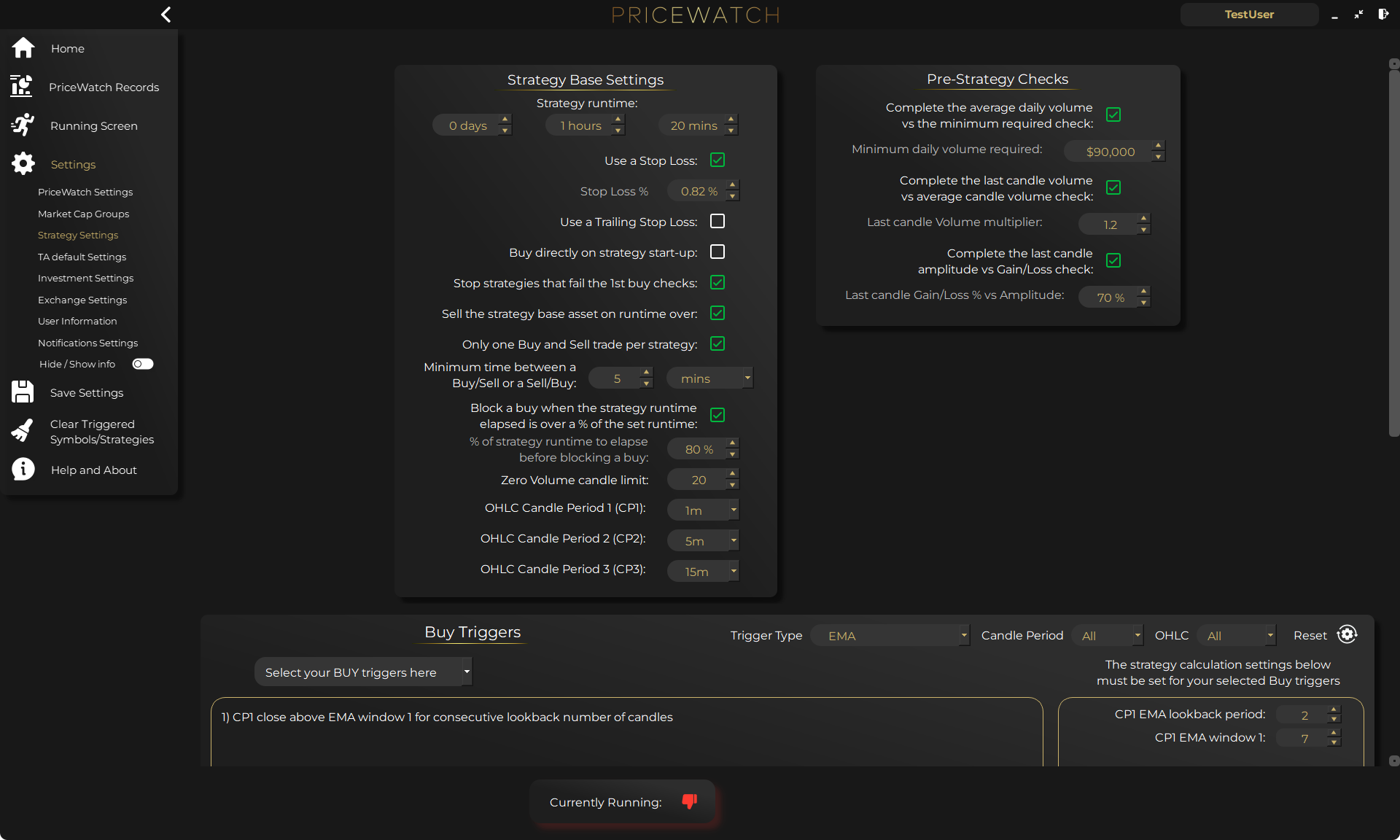
Enable Use AI Assistant Trade Gate and choose Advisory or Veto under Settings → Strategy Settings → Strategy Base Settings. Supporting review options are in the AI Assistant screen. The gate is off by default.
There is an important exception: Buy directly on strategy start-up bypasses both the Buy-criteria check and the AI Trade Gate. Do not assume every purchase receives an AI review.
Provider failures deserve the same attention. In Veto mode, Allow is the default: an attempted AI request that fails can leave the qualified buy free to proceed. Skip blocks failed attempted requests, but is not an absolute fail-closed guarantee in 2.0. A missing model or required key can leave the gate unconfigured and allow a qualified buy without review. Save settings, test the connection, confirm the mode after restart and verify the TEST-mode records before relying on Veto. Unreadable AI settings can also load defaults with the gate Off.
Reconsider a persistent signal without asking on every candle
Suppose your Buy criteria qualify, the AI says SKIP, and those criteria stay true. Repeating the same request after every candle could add cost without changing the decision. PriceWatch can reuse the SKIP while that signal remains continuously qualified.
A fresh review becomes eligible when the criteria stop being all true and later qualify again, or after the configured number of newly closed candles for the governing Buy-criteria period. The longest relevant period governs by default; you can choose the shortest. If candle counting is unavailable, or the governing period differs from the remembered SKIP, a 300-second fallback applies.
You choose how soon a persistent setup should be reconsidered. That does not guarantee the model will notice a move in time. In the current 2.0 implementation, remembered SKIPs are stored within the running process and keyed by symbol, so another strategy using that symbol can reuse the verdict. Restarting the process clears that memory.
Choose the model and understand where your data goes
PriceWatch supports OpenAI, Anthropic Claude, Google Gemini, OpenRouter, compatible local LLM servers and other OpenAI-compatible cloud APIs. You supply the account or endpoint and select the model. Cloud usage is billed directly by your provider; PriceWatch does not bundle AI usage into the software price.
AI requests go directly from the desktop application to your chosen endpoint; PriceWatch does not proxy them. With a cloud model, strategy descriptions or market context leave your computer and are subject to that provider's terms and retention policies. A local endpoint keeps that processing under your control only if you genuinely control its server and network.
Provider keys and AI settings are encrypted locally. Saved AI strategies, AI logs and AI Review database records are local plaintext, so protect your computer, backups and synced folders. PriceWatch does not intentionally include exchange API keys, login credentials, balances or trade history in AI requests. Never put secrets or personal information into free-text instructions.
Compare the AI opinion with the outcome
An explanation can sound convincing and still be wrong. PriceWatch gives you places to check the opinion rather than taking it on trust: the Live Feed, the AI Review columns in PriceWatch and Trading records, CSV exports, and the Assistant's recent decisions and trade outcomes box.
Start the Trade Gate in Advisory mode within your TEST-mode workflow. Review where the model agreed with your criteria and where it would have skipped a trade. Compare those opinions with recorded outcomes, keeping TEST and LIVE results distinct. A handful of favourable examples is not evidence of reliable performance.
What makes this combination distinctive
The useful connection is between the generated rule and the settings that run it. PriceWatch shows the expression, records its Designed for settings, and lets you apply those values before testing. The optional Trade Gate then reviews buys at a defined point in that same workflow, with verdicts you can inspect afterwards. You can review recorded verdicts and the outcomes of reviewed trades that actually proceeded.
Read the AI Assistant feature page for screenshots and further detail, or check the release notes for the wider 2.0 changes. Then try one clearly defined idea in TEST mode and check that its entry and exit behaviour matches the rules you intended. The first question is whether the generated rules match what you meant, not whether the AI sounds confident.
AI output is not investment, financial or trading advice. Generated rules and verdicts may be inaccurate or unsuitable. Technical validation and TEST-mode results do not guarantee future performance; you remain responsible for your settings and any LIVE trades.
Want to see the workflow in practice?
Start by reviewing the workflow in TEST mode
PriceWatch runs locally, helps you monitor broader markets, and gives you a way to review how the workflow behaves before deciding whether moving closer to LIVE use makes sense for you.
Prefer to keep researching first?
Keep learning before you decide
Get practical workflow ideas, product updates, and new articles by email, or keep reading through the blog at your own pace before you take the next step.
Keep the route moving
Best next pages from here
If this article solved only part of the problem, use the closest route below to keep moving through discovery, alerting, trust, and comparison intent without bouncing back to search.
Discovery route
Crypto market scanner
Use the fixed-intent landing page if you want the clearest explanation of scan-first market discovery.
Alerting route
Desktop crypto price tracker
Go here if your main intent is Windows-based monitoring, price alerts, and local desktop workflow.
Trust route
Cloud bot vs local software
Use this when the next question is privacy, key control, and where the workflow actually runs.
Comparison route
PriceWatch vs TradingView
Use the comparison path if you are weighing chart-first analysis against discovery-first monitoring.
FAQ
Does the AI Assistant trade independently?
No. The Builder proposes rules that you review, save and apply. The Trade Gate reviews a buy only after your selected criteria qualify it. A direct startup buy bypasses both those criteria and AI review.
Do I have to use a particular AI provider?
No. PriceWatch supports several cloud providers and OpenAI-compatible local endpoints. You choose the provider and model; any provider usage charges are yours.
Does a validated AI strategy mean it is profitable?
No. Validation checks technical requirements, not profitability, suitability or whether the rules capture your intent. Review the expressions and test in TEST mode before considering LIVE use.
Can I require a successful AI response before every buy?
Veto can block a SKIP verdict, and its Skip failure setting blocks failed attempted AI requests. In 2.0 it is not an absolute guarantee: a missing model or required key can allow an already-qualified buy without review. Direct startup buys also bypass the gate.